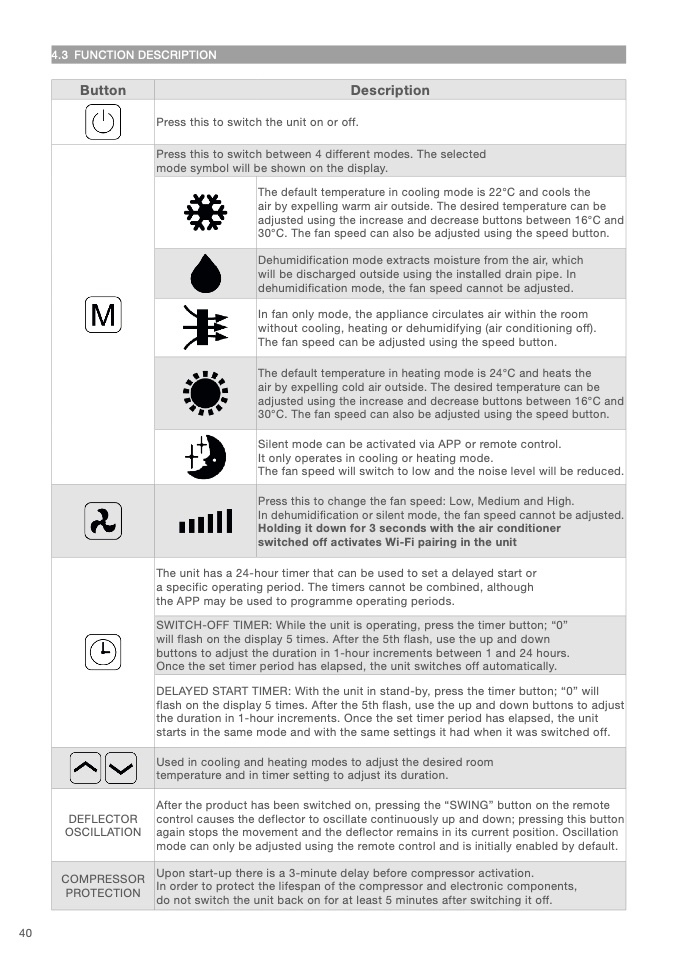
4.3 FUNCTION DESCRIPTIO
N
Button
Descriptio
n
Press this to switch the unit on or off
.
Press this to switch between 4 different modes. The selected
mode symbol will be shown on the display.
The default temperature in cooling mode is 22°C and cools th
e
air by expelling warm air outside. The desired temperature can be
adjusted using the increase and decrease buttons between 16°C an
d
30°C. The fan speed can also be adjusted using the speed button
.
Dehumidification mode extracts moisture from the air, which
will be discharged outside using the installed drain pipe. In
dehumidification mode, the fan speed cannot be adjusted
.
In fan only mode, the appliance circulates air within the roo
m
without cooling, heating or dehumidifying (air conditioning off).
The fan speed can be adjusted using the speed button
.
The default temperature in heating mode is 24°C and heats th
e
air by expelling cold air outside. The desired temperature can b
e
adjusted using the increase and decrease buttons between 16°C an
d
30°C. The fan speed can also be adjusted using the speed button
.
Silent mode can be activated via APP or remote control.
It only operates in cooling or heating mode
.
The fan speed will switch to low and the noise level will be reduced
.
Press this to change the fan speed: Low, Medium and High
.
In dehumidification or silent mode, the fan speed cannot be adjusted
.
Holding it down for 3 seconds with the air conditioner
switched off activates Wi-Fi pairing in the uni
t
The unit has a 24-hour timer that can be used to set a delayed start or
a specific operating period. The timers cannot be combined, althoug
h
the APP may be used to programme operating periods.
SWITCH-OFF TIMER: While the unit is operating, press the timer button; “0”
will flash on the display 5 times. After the 5th flash, use the up and down
buttons to adjust the duration in 1-hour increments between 1 and 24 hours
.
Once the set timer period has elapsed, the unit switches off automatically
.
DELAYED START TIMER: With the unit in stand-by, press the timer button; “0” wil
l
flash on the display 5 times. After the 5th flash, use the up and down buttons to adjus
t
the duration in 1-hour increments. Once the set timer period has elapsed, the unit
starts in the same mode and with the same settings it had when it was switched off
.
Used in cooling and heating modes to adjust the desired roo
m
temperature and in timer setting to adjust its duration.
DEFLECTOR
OSCILLATION
After the product has been switched on, pressing the “SWING” button on the remot
e
control causes the deflector to oscillate continuously up and down; pressing this button
again stops the movement and the deflector remains in its current position. Oscillation
mode can only be adjusted using the remote control and is initially enabled by default
.
COMPRESSOR
PROTECTIO
N
Upon start-up there is a 3-minute delay before compressor activation.
In order to protect the lifespan of the compressor and electronic components,
do not switch the unit back on for at least 5 minutes after switching it off
.
40

