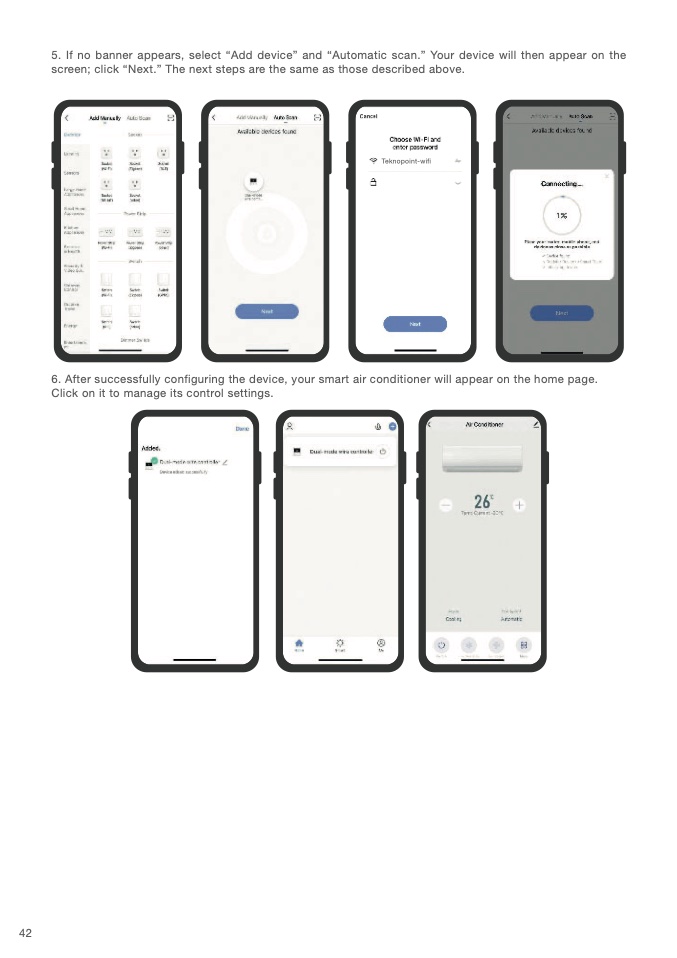
5. If no banner appears, select “Add device” and “Automatic scan.” Your device will then appear on the
screen; click “Next.” The next steps are the same as those described above
.
Teknopoint-wif
i
6. After successfully configuring the device, your smart air conditioner will appear on the home page.
Click on it to manage its control settings
.
42

